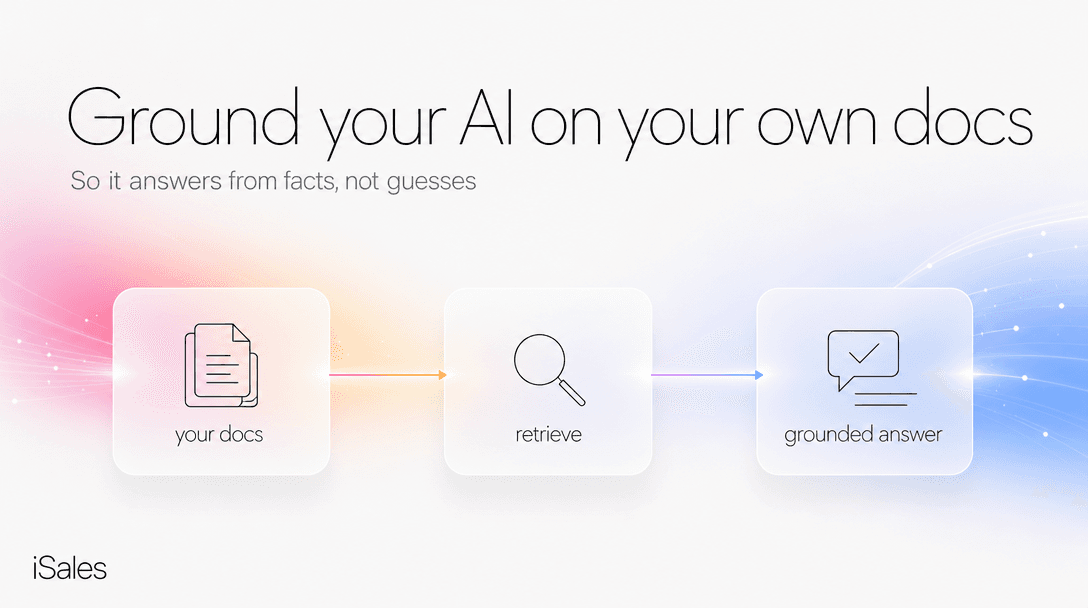
You want one thing: an assistant that answers customers from your product facts, your prices, your policies, not from whatever the internet taught a language model. The technique for that is RAG (retrieval-augmented generation), and here's the part the sales pages leave off: grounding a bot on your own docs cuts made-up answers sharply, but it does not take them to zero.
Most guides stop at the upload step, as if grounding were a switch that turns hallucination off. It isn't: it moves the failure point from the model's imagination to your retrieval pipeline, and a grounded bot that can't find the right passage still answers confidently and wrong. This piece is about that gap and the four safeguards that handle it.
In short: "Training a bot on your docs" almost always means retrieval (RAG), not retraining the model. How much it cuts made-up answers depends entirely on your documents and setup — vendor reports put the drop anywhere from ~30% to ~90%, and that spread is the real answer. To make a grounded bot trustworthy you add four safeguards: an "I don't know" fallback, source-backed answers, a human handoff, and fresh docs. Below is a copyable checklist to test any bot against before you deploy it.
What "train a chatbot on my docs" actually means
There's a myth worth killing first, because it costs people weeks. Uploading files to a custom GPT and typing "only answer from these files" does not reliably restrict the model to your documents; the OpenAI developer forums are full of people discovering this the hard way. Instructions are a suggestion the model can override; grounding is an architecture.
Two different things wear the word "training":
- Fine-tuning changes the model's weights. It's best for teaching a style (how to sound), and it's slow, expensive, and static: retrain to update.
- RAG leaves the model alone and hands it the relevant passages from your documents at the moment of the question. It teaches content — what to say — and picks up an edited doc without a retraining run (how fast depends on how the tool re-indexes).
For a small business, RAG is almost always the right call: your prices, hours, and policies change, and you want the bot current the day you change them, not after a retraining run. You upload what you have (PDFs, a spreadsheet, a text export, your site), the system splits each document into chunks (~250 tokens is a common default), turns them into vectors, and at question time retrieves the closest passages and answers from those. Your brand voice is a separate layer (a profile and instructions) sitting on top of the retrieved facts.
Why a grounded bot still makes things up
Grounding narrows where errors come from; it doesn't eliminate them. The 2026 write-ups that don't sell you a tool — Kernshell, You.com, K2view — say the same thing in different words: "RAG is not a silver bullet." Here are the five ways a grounded bot still fabricates:
- Retrieval misses. The answer is in your docs but the search doesn't surface it: bad phrasing, weak chunking, a synonym mismatch. The model gets no context and falls back on its training.
- The model ignores the context. Even with the right passage in front of it, a model will sometimes prefer its own parametric memory and answer from that instead.
- Conflicting documents. Two retrieved chunks disagree (an old price list and a new one), and the bot confidently picks one.
- Out-of-scope questions. The docs cover 80% of a question; the model invents the missing 20% to give a complete-sounding answer.
- Stale or messy source data. RAG grounds retrieval, not truth. If your knowledge base still has last year's promo in it, the bot will quote last year's promo.
Notice the pattern: none of these are the model "being creative." They're pipeline failures, and pipeline failures have engineering fixes.
The four safeguards that handle the gap
You cannot make a grounded bot perfect. You can make it safe when it's uncertain — which, for a customer-facing assistant, is the whole game. Four safeguards do the work:
- Teach it to say "I don't know." The single highest-value move. When retrieval confidence is low, the bot should say it doesn't have that information rather than guess. Picture a customer at 11pm asking something your docs don't cover — "do you ship to Kazakhstan?". The safe behavior: "I don't have that in my materials — I've flagged it for the owner, who'll confirm by morning." The failure mode is the same bot inventing a confident "yes, 5–7 days" that isn't true. A documented 2024 customer-support bot deployment described the rule this way: if the AI can't find a matching source, it doesn't invent anything; it tells the user.
- Make every answer source-backed. If the bot can point to which document a fact came from, you can audit it, and it's structurally harder for it to fabricate.
- Hand off to a human. Low-confidence or high-stakes questions should route to you, not to a guess. The bot's job is to answer what it knows and escalate what it doesn't.
- Keep the docs fresh. A lot of what looks like a "hallucination" in production is just an outdated fact. Remove expired prices, resolve contradictions, and the error rate drops without touching the model.
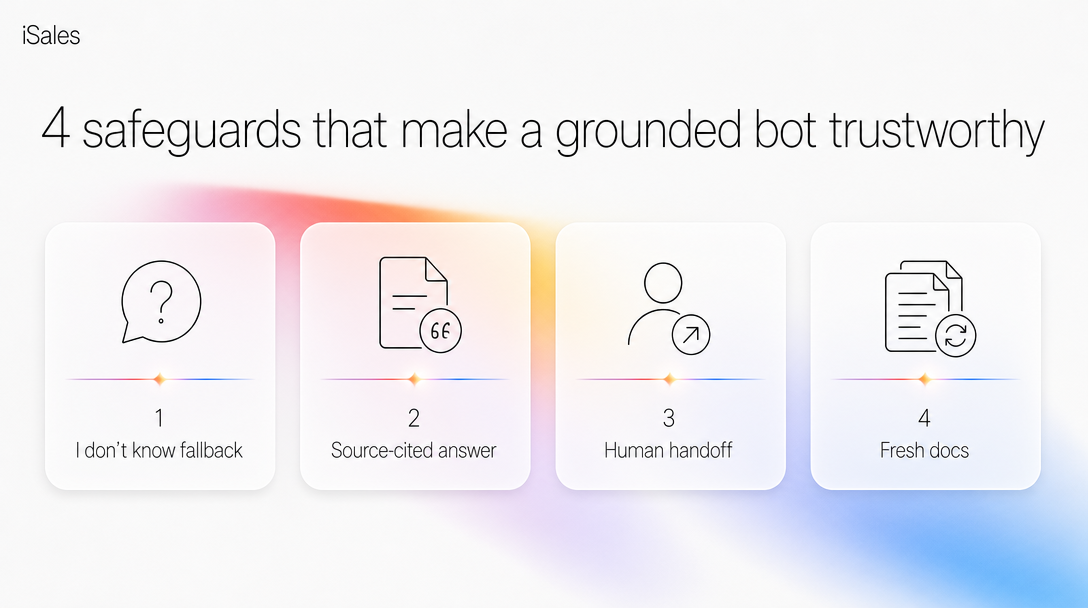 The four safeguards that make a bot safe when it isn't sure.
Run this against any bot-on-your-docs before you let it talk to customers:
The grounding-gap checklist (copy it):
[ ] Ask it something your docs DON'T cover — does it say "I don't know" or invent an answer?
[ ] Ask something with a synonym/typo — does retrieval still find the right passage?
[ ] Put a contradiction in your docs (old + new price) — which one does it quote?
[ ] Ask a half-covered question — does it answer only the covered part, or fill the gap?
[ ] Can it show WHICH document each answer came from?
[ ] When unsure, does it hand off to a human — and do you actually get the flag?
[ ] Edit a doc — how long until the bot reflects the change?
A bot that fails the first line — invents an answer to a question outside its docs — is not ready, no matter how good the demo looked.
The three ways you can pay for this
There are three real paths to a grounded bot, and they price very differently. Prices below are research-dated (2026-07-05); re-check the vendor's page, they drift.
| Path | Who it's for | 2026 pricing | The catch |
|---|---|---|---|
| Build it yourself | You have (or rent) a developer | Model + vector DB API costs; days–weeks of setup | You own every safeguard, sync, and outage |
| Dedicated support-RAG tool (Chatbase, CustomGPT, Intercom Fin, SiteGPT) | Support desks with volume | Chatbase Hobby ~$40/mo → Pro ~$500/mo; CustomGPT ~$99/mo; SiteGPT | Deep on citations/analytics; per-resolution can spike when customers need you most; a support tool, not a seller |
| A messaging-native assistant (grounded + closes to a lead + takes payment) | Solo SMBs/creators who also want the bot to sell, not just deflect | Usage-based, pay per action, free to start | Shallower RAG-ops than a dedicated support tool (see below) |
The row we lose: the dedicated support-RAG tools are deeper than us on RAG-ops: per-answer citations, confidence dashboards, auditable resolution logs. If your job is a high-volume regulated support desk that needs a citation on every reply, a specialist tool will out-audit a messaging-native assistant.
The pricing model matters more than the sticker. Do the math on your own volume first: a bot fielding ~40 knowledge questions a day is ~1,200 a month. On per-resolution pricing that's roughly $40/day (your numbers, not ours — it depends how many count as billable resolutions); on a flat plan it's whatever the tier caps at; on usage-per-action it tracks the questions themselves (a text reply runs a few US cents). Whichever is cheapest depends on your volume, not the headline price.
When you don't need any of this yet
If your product and prices fit on roughly one page, and you get the occasional DM you can answer yourself in a spare minute, don't build a knowledge base yet. A short business profile plus a few instructions will carry you further than a half-populated RAG pipeline that misfires. Grounding earns its keep once you're fielding more than a handful of document-specific questions a day. Before that, you're maintaining infrastructure to solve a problem you don't have. Come back when the repeat questions start.
How iSales grounds an assistant
Past that threshold, this is the job an AI assistant in Telegram is built for. You fill in a Business Profile (who you are, what you sell) and load a Dataroom (your docs as the knowledge source). From then on the assistant answers from your materials, in a voice you set, and unlike a support tool it doesn't stop at the answer. It carries the conversation to a booked lead and can issue the invoice or sell your content right there in the chat.
The safeguards above aren't extras here: the "I don't know, I've flagged it for you" behavior and the human handoff are how a grounded assistant stays trustworthy while you sleep. It isn't the compliance-grade support-RAG platform the pricing table pointed to; it fits when the job is answering your audience on-brand and turning those answers into booked leads.
That's also the difference between a grounded agent and a scripted flow-builder: a decision tree only knows the branches you drew; a grounded assistant answers the question you didn't anticipate — from your docs, or not at all.
FAQ
Can it answer only from my files, or will it still pull from the internet? Not by instruction alone. Telling a model "only use these files" is a request it can override; restricting answers to your material is an architecture (RAG retrieves your passages and answers from them), not a setting. Even then it's "mostly," not "only" — the safeguards above are what stop it filling gaps with invented answers.
How many documents can I ground a bot on? It varies by tool, and the limits shift — a custom GPT caps somewhere around 20 files (check the current builder), while dedicated platforms scale to thousands. More important than the ceiling is quality: a clean, de-duplicated, current set beats a large messy one.
What happens when the bot doesn't know? That's exactly what the safeguards handle. A well-configured grounded bot says it doesn't have the information and hands off to a human — which is far better for a customer than a confident wrong answer.
Does grounding leak my data to the model provider? Your documents live in a knowledge base and are retrieved at query time, not baked into a public model. Check any tool's data-handling terms, but RAG generally keeps your source material under your control and easy to delete.
Will it cost more as I get more questions? Depends on the pricing model. Per-resolution pricing rises with volume — exactly when you're busiest. Usage-based-per-action and flat plans behave differently; pick the model that matches your question volume, not just the headline price.
Ready to test it on your own docs? Load your knowledge base, ask it the question your docs don't cover, and watch what it does. Start your AI assistant free — 30 messages, no card.
Sources & last updated
Kernshell, "How RAG Reduces AI Hallucinations" (2025-11-14); You.com, "AI Hallucination Prevention and How RAG Helps" (2026-02-27); K2view, "RAG hallucination" (2026-04-29); StackAI, "Build an AI Chatbot with a Custom Knowledge Base" (2026); OpenAI Help Center (custom GPT file limits); vendor pricing pages — Chatbase, CustomGPT.ai, Intercom Fin, SiteGPT; sostav.ru retail customer-support-bot case (2024-11-26). Reduction percentages are directional and vendor-reported, not a controlled benchmark. iSales per-action pricing and free tier: pricing (features and prices per current product terms).
Competitor prices checked July 2026 — list prices, subject to change.